
A lot of AI still feels like a very smart person trapped in a text box.
You can ask it questions. You can brainstorm with it. You can have it write, summarize, plan, critique, or explain. That is useful, but it is still mostly conversation.
The real shift happens when the AI can safely interact with the systems where work actually happens.
That is where MCP servers started to click for me.
Not as another piece of AI jargon. Not as a huge platform. Not as magic.
As a small, structured bridge between an AI client and a real workflow.
That bridge can give an AI model access to the right tools, the right data, and the right boundaries. And once I started building MCP servers this way, the idea became much less abstract.
It became obvious why they matter.
What is an MCP server?
The simplest way to explain an MCP server is this:
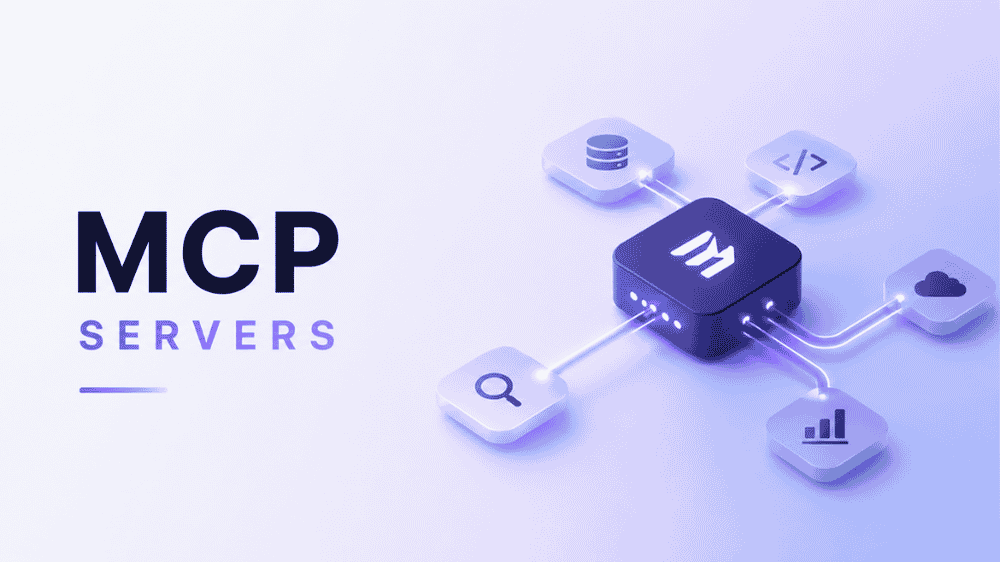
An MCP server is a structured bridge between an AI client and a specific set of tools or data sources.
Instead of giving a model vague access to “everything,” you expose a small set of named capabilities with explicit inputs and outputs.
For example, an MCP server might let an AI client:
- send a message
- read a customer profile
- create a draft blog post in a CMS
- check a publishing checklist
- pull recent analytics
- look up a product catalog
- retrieve internal workflow rules
- summarize a user’s daily health context
- log a workout or meal
- verify whether a repo has adopted a workflow pattern
The important part is not that the model can do anything.
The important part is that the model can do specific things safely and predictably.
A useful mental model is:
An API exposes endpoints for developers.
An MCP server exposes tools for models.
That one sentence helped me understand the whole category.
MCP is not about giving AI unlimited power. It is about giving AI a clean interface to the parts of a workflow where it can actually help.
Why this matters
Most AI tools are only as useful as the context they can see and the actions they can take.
If an AI assistant has no access to your systems, it can only guess. If it has messy access to too much, it can become risky, noisy, or unreliable.
MCP servers offer a middle path.
They let you define:
- what the model can read
- what the model can write
- which actions have side effects
- what structured inputs are required
- what outputs come back
- which systems count as the source of truth
- which workflows need approval before anything happens
That is a big deal.
Especially for startups and GTM teams, where so much work lives across a messy spread of tools: CRMs, docs, spreadsheets, analytics dashboards, email platforms, CMSs, internal notes, sales calls, support tickets, and project trackers.
The dream is not “AI that knows everything.”
The dream is AI that can reliably help with the next useful step.
That usually requires a tool layer.
What MCP servers are used for
An MCP server can be built around almost any narrow workflow.
Some are read-only. They help an AI retrieve the right context from a knowledge base, repo, database, or documentation set.
Some are action-oriented. They let an AI create drafts, send messages, update records, trigger jobs, or log events.
Some do both.
The pattern is especially powerful when a workflow has a few recurring verbs.
For example:
- “Find the right account context before writing this sales email.”
- “Check whether this blog post has passed SEO and editorial review.”
- “Create a draft in WordPress, but do not publish it live.”
- “Pull the latest campaign metrics and summarize what changed.”
- “Log today’s workout and adjust tomorrow’s recommendation.”
- “Show me which repos have adopted this shared workflow.”
- “Send me a follow-up reminder if a lead has not replied.”
The model does not need raw access to every system underneath those workflows.
It needs the right verbs.
That is the design opportunity.
What I built: a personal trainer MCP server
The first implementation that made MCP feel real for me was a personal trainer server.
This was not a general-purpose assistant backend. It was a focused MCP server for one user and one coaching workflow.
That focus mattered.
I did not start by exposing raw SQL, arbitrary file access, or a giant notes database. I started with real actions:
- send a Telegram message
- read or update stable profile memory
- log workouts
- log food
- log body metrics
- log recovery status
- ingest inbound Telegram messages
- sync Strava activities
- build a daily context bundle for the agent
The result was a system that could actually participate in the coaching loop.
As of the source snapshot I used for this post, that server had handled real usage:
- 231 inbound Telegram messages processed
- 326 outbound coaching messages logged
- 133 workouts stored
- 130 Strava activities cached
- 80 detailed Strava activity records cached
- 54 Strava webhook events stored
- 186 nutrition notes logged
- 61 daily check-ins tracked
- 44 tools exposed
The numbers are not the point by themselves.
The point is that this was not a demo. It was a working interface between an AI coach and a real daily behavior loop.
The most useful tool was not flashy
The most useful tool in that server was get_today_context.
That may sound boring, but it was the key design pattern.
Instead of making the agent call ten separate tools before saying anything useful, get_today_context returned one structured bundle with the information needed for a coaching decision:
- profile
- recent workouts
- body metrics
- nutrition targets
- recent nutrition notes
- recovery logs
- daily check-ins
- weekly scorecard
- challenge state
- unprocessed inbound messages
- Strava sync status
That taught me one of my strongest MCP lessons:
Every useful MCP server should probably have at least one high-context summary tool.
Not because the protocol requires it. Because the workflow does.
Models are much better when the context is already shaped around the decision they need to make.
Durable memory beats vague memory
Another important design choice was separating stable facts from transient observations.
Stable profile facts lived in a structured user_profile.json file. That included things like goals, injuries, equipment, timezone, training background, and realistic weekly frequency.
Daily events lived elsewhere: workouts, meals, recovery notes, check-ins, inbound messages, and Strava records.
That distinction matters far beyond fitness.
In a GTM context, the same pattern might look like:
- stable account facts
- recent customer interactions
- active opportunities
- objections
- stakeholder notes
- campaign history
- support issues
- renewal risk
Not everything should be tossed into one vague memory bucket.
Durable facts deserve schemas. Events deserve logs. Decisions deserve context bundles.
That is where MCP gets interesting.
Inbound queues made the system reliable
One of the most practical pieces of the trainer server was the inbound Telegram queue.
Instead of letting the agent poll raw Telegram APIs directly, the webhook normalized inbound messages into internal records. Then the agent worked from tools like:
get_recent_inbound_messagesmark_message_processed
That gave the system:
- deduplication
- processing state
- auditability
- retryability
- a place to store notes about what handled the message
This is one of the differences between a hacky integration and a useful one.
The same idea applies everywhere.
For a marketing team, inbound events might be:
- new form submissions
- demo requests
- content briefs
- campaign approvals
- customer quotes
- partner requests
- SEO tasks
- sales follow-ups
Raw events are messy. A durable queue makes them operational.
Deterministic automation still matters
Another lesson: not everything needs an LLM.
Some messages or events are obvious enough to handle deterministically.
In the trainer server, simple cases could be auto-logged without model reasoning:
- recurring food aliases
- weigh-ins
- supplement adherence
- simple workout completion check-ins
Ambiguous messages stayed in the queue for review.
That balance was much better than trying to automate everything with the model.
This is a useful pattern for startups too.
Use deterministic logic for the boring, obvious, high-confidence paths. Use AI where judgment, language, synthesis, or ambiguity actually matter.
The best AI systems are rarely “AI all the way down.”
They are usually a smart mix of structured software and model reasoning.
What I built: a read-only shared knowledge MCP server
The second implementation was very different.
It was not a personal coach. It was not action-heavy. It did not send messages, log meals, or sync Strava.
It was a small read-only knowledge bridge.
The problem was simple: I had reusable workflows, guardrails, schemas, and role definitions that applied across multiple content and publishing repos. But I did not want to duplicate those assets everywhere, and I did not want an AI tool guessing which stale repo or old client doc counted as the truth.
So I built a shared-knowledge repo plus a minimal MCP server that could answer a few useful questions:
- What are the canonical reusable assets?
- Which repos are connected to this shared knowledge?
- Which shared patterns has a repo adopted?
- Which patterns are only relevant, hypothetical, or source material?
- What connection record explains that repo?
- Can I verify a few concrete facts safely before trusting metadata?
This server had a much smaller tool surface: six tools.
list_reposshow_repolist_repo_assetsshow_assetverify_repoget_connection_record
That was enough.
And that is the point.
A read-only MCP server can be valuable if it gives the model the right context and authority boundaries.
The key idea: shared knowledge is not implementation truth
The shared knowledge server made a distinction I now think is extremely important:
- shared knowledge repo = reusable workflows, guardrails, schemas, roles, and patterns
- source repos = implementation truth, credentials, scripts, adapters, local values, and runtime behavior
- connection records = the bridge between those worlds
That separation prevents “doc soup.”
Without it, an AI system can easily blend together old notes, local implementation details, stale client-specific docs, and reusable patterns into one confident but wrong answer.
With the MCP bridge, the model can ask more precise questions:
- “Show me the canonical asset.”
- “Show me how this repo maps to it.”
- “Show me what remains local.”
- “Show me what has actually been verified.”
That is a much safer pattern.
For marketing, content, and GTM teams, this is especially relevant.
A lot of teams have valuable operating knowledge scattered across docs, templates, playbooks, project boards, CMS workflows, and old campaign folders. The danger is not that AI cannot find anything. The danger is that it finds too much and cannot tell what is canonical.
MCP can help create a cleaner authority layer.
Why this matters for marketing and GTM
For a startup, the obvious MCP use case is not just engineering productivity.
It is operating leverage.
Marketing and GTM teams constantly repeat workflows that are structured but still judgment-heavy:
- researching accounts
- drafting outbound
- building content briefs
- checking brand voice
- reviewing SEO requirements
- preparing sales call notes
- updating CRM fields
- summarizing customer feedback
- creating campaign retrospectives
- routing leads
- generating follow-up tasks
- checking approval status
- preparing launch checklists
These workflows are perfect for MCP because they need both context and constraints.
A generic assistant can help write a sales email.
An MCP-enabled assistant can first check the account record, recent calls, open opportunities, ICP notes, product usage, competitor mentions, and approved messaging before drafting the email.
A generic assistant can help write a blog post.
An MCP-enabled assistant can pull the content brief, target keyword, internal links, product positioning, editorial rules, author voice, CMS status, and approval gate before creating a draft.
A generic assistant can summarize campaign performance.
An MCP-enabled assistant can pull analytics, spend, pipeline influence, CRM campaign members, landing page changes, and experiment notes, then produce a grounded readout.
That is the difference between AI as a writing toy and AI as workflow infrastructure.
The startup value: speed with boundaries
Startups want speed. But speed without boundaries creates mess.
MCP servers are valuable because they can encode the boundaries directly into the workflow.
For example:
- A content MCP server can create WordPress drafts but not publish live.
- A sales MCP server can draft CRM updates but require approval before overwriting key fields.
- A support MCP server can summarize tickets but not issue refunds.
- A finance MCP server can categorize transactions but not move money.
- A product MCP server can read feedback and create tickets but not change production settings.
This is the sweet spot.
Give the AI enough access to be useful, but not enough access to be dangerous.
That is especially important for early teams where one person may be wearing five hats and context is constantly moving.
MCP can help preserve the operating system of the company while still letting people move quickly.
Fun examples of MCP servers
Once the concept clicks, the possible use cases get fun.
Here are a few MCP servers I would love to see or build:
The founder daily cockpit
One tool returns today’s full operating context:
- calendar
- urgent emails
- open investor asks
- top sales opportunities
- product blockers
- team risks
- cash snapshot
- customer escalations
- launch deadlines
The AI does not just chat. It helps brief the day.
The content operations copilot
A server that connects briefs, SEO rules, CMS drafts, internal links, approvals, and performance data.
It can answer:
- “What posts are ready for editorial review?”
- “Which drafts are missing internal links?”
- “Which published posts should be refreshed?”
- “Create a WordPress draft, but do not publish it.”
The account-based marketing assistant
A server that connects CRM data, website visits, enrichment data, call notes, and messaging libraries.
It can help create:
- account briefs
- buying committee maps
- outbound sequences
- event follow-up
- renewal risk summaries
- competitive displacement plays
The customer feedback router
A server that ingests feedback from support tickets, Slack, Gong, surveys, and sales notes.
It can cluster themes, create product tickets, detect churn signals, and summarize what customers are actually asking for.
The personal life admin server
A server for the household side of life:
- grocery lists
- recurring purchases
- maintenance reminders
- school forms
- bills
- travel plans
- appointments
- household tasks
Not glamorous. Extremely useful.
The learning coach
A server that tracks what you are studying, what you struggled with, what you reviewed, and what should come next.
It could connect notes, flashcards, reading lists, exercises, and calendar blocks.
The investor update builder
A server that pulls metrics, wins, risks, asks, hiring updates, and product milestones into a draft monthly investor update.
The founder still edits it. But the first pass is grounded in the actual business.
What I learned from building MCP servers
The biggest lesson is that useful MCP servers are usually smaller than you think.
The goal is not to expose everything.
The goal is to expose the right things.
Here are the patterns I would reuse:
Start with a repeated workflow
Do not start with “I need an MCP server.”
Start with:
- What do I do repeatedly?
- What context do I always need?
- What action do I always take next?
- What mistakes happen when the context is missing?
- What should the model never be allowed to do?
That will tell you what tools to build.
Make tools match real verbs
Good tools sound like workflow actions:
get_today_contextsend_messagelog_workoutshow_assetverify_repocreate_draftget_account_summarymark_message_processed
Bad tools are vague buckets.
If the model cannot easily understand when to use the tool, the tool is probably too abstract.
Add one high-context summary tool
This may be the most reusable pattern.
Create one tool that bundles the context needed for a common decision.
For a trainer, that was daily health and coaching context.
For a GTM team, it might be account context.
For content, it might be brief + SEO + CMS + approval state.
For a founder, it might be a daily operating snapshot.
Keep stable facts separate from events
Durable facts should have schemas.
Events should have logs.
Approvals should have states.
Queues should have processing metadata.
This is what makes the system reliable over time.
Treat read-only as valuable
Not every MCP server needs write access.
A read-only server that tells the model what is canonical, current, approved, or verified can be incredibly useful.
Sometimes the safest first MCP server is one that cannot mutate anything.
Make uncertainty visible
The shared knowledge server had a useful distinction between declared metadata and verified facts.
That is a pattern worth copying.
AI systems should be able to say:
- “This is what the registry claims.”
- “This is what I verified.”
- “This is what I could not verify.”
That is much better than fake certainty.
Do not over-automate
Use deterministic automation for obvious cases.
Use AI where judgment is needed.
Use approval gates where consequences matter.
That combination is much stronger than trying to make the model responsible for everything.
How I would build a first MCP server
If someone asked me where to start, I would keep it very small.
Pick one workflow you already repeat manually.
Then define five to ten tools.
For example, for a content workflow:
get_content_briefget_brand_rulesget_seo_requirementscreate_cms_draftcheck_preflight_statusmark_ready_for_reviewget_editorial_feedback
For a sales workflow:
get_account_summaryget_recent_interactionsget_open_opportunitiesdraft_followup_emaillog_call_notecreate_next_step_task
For a personal workflow:
get_today_contextlog_eventsend_reminderget_recent_historyupdate_profile_fact
The exact tools matter less than the discipline:
- keep the scope narrow
- make the inputs explicit
- make side effects obvious
- return structured outputs
- create durable logs
- separate canonical truth from local detail
- add approval gates where needed
That is enough to make something useful.
The business case for MCP
The business case is not “we used a trendy AI protocol.”
The business case is:
- faster execution
- cleaner handoffs
- safer automation
- better context reuse
- less duplicated knowledge
- fewer stale docs
- more consistent workflows
- more useful AI assistants
For startups, this matters because the company’s operating knowledge is often informal. It lives in people’s heads, Slack threads, old docs, and half-finished templates.
MCP servers can turn parts of that operating knowledge into callable infrastructure.
Not all of it. Not perfectly. Not overnight.
But enough to matter.
The best early use cases are not giant “AI employee” fantasies. They are narrow workflow bridges that save time every week.
A good MCP server does not replace the team.
It gives the team leverage.
Closing thought
The biggest thing I learned is that an MCP server does not need to be huge to be valuable.
A useful MCP server is just a well-chosen seam between an AI client and a real workflow.
If you define the right tools, keep the state structured, and make the happy path easy for the model, you can turn a chat interface into something that actually helps run part of your life or work.
That is the real promise of MCP for me.
Not magic.
Not a giant brain.
Just small, trusted bridges between AI and the systems that matter.
Small enough to trust. Useful enough to matter.